Monday, June 14, 2010

Collaborative Digital Storytelling with VoiceThreads

Horizon Report

 Storytelling, whether oral or digital, is about sharing experiences. More and more on-line environments are being developed where students can safely and collaboratively persuade, recount, retell, and communicate orally in a clear, coherent manner. VoiceThreads is a free online tool that lets students create collaborative media slideshows with the capability of leaving commentary in a variety of ways (microphone, telephone, text, audio files or webcam). Students are able to demonstrate understanding in a variety of differentiated styles, and VoiceThreads is an important item in the inclusive classroom toolkit.

For more information go to  http://voicethread.com/

Friday, June 11, 2010

Storyboards/Graphic Organizers with Comic Life

As part of the Pre-Writing process, it is important that students develop a clear, concise understanding of what they want to communicate. Storyboards (or graphic organizers) are an integral part of this step, and can be found in many forms. Many of the digital media come with their own built-in storyboards. For example, Comic Life has a multitude of different lay-outs that can be used to advance the story and the initial choice of the lay-out as a storyboard will influence the content and format of the story. Marshall McLuhan was so right! (The medium is the message. 1964)

There are different ways for teachers to facilitate the use of the Comic Life storyboard templates, dependent on your instructional focus. If you are discussing procedural writing you may want to select a linear storyboard (or 2) and print them off for students to work on. If you are working on pre-writing, you may want to have the students self-select a template that best fits their thoughts. There are many different styles, so this activity might be time-constrained. The graphic below illustrates storyboard selection. Simply select and drag.


For more tips on using Comic Life check out http://ocdsbcomiclife.wikispaces.com/
Digital Storytelling – Brainstorming

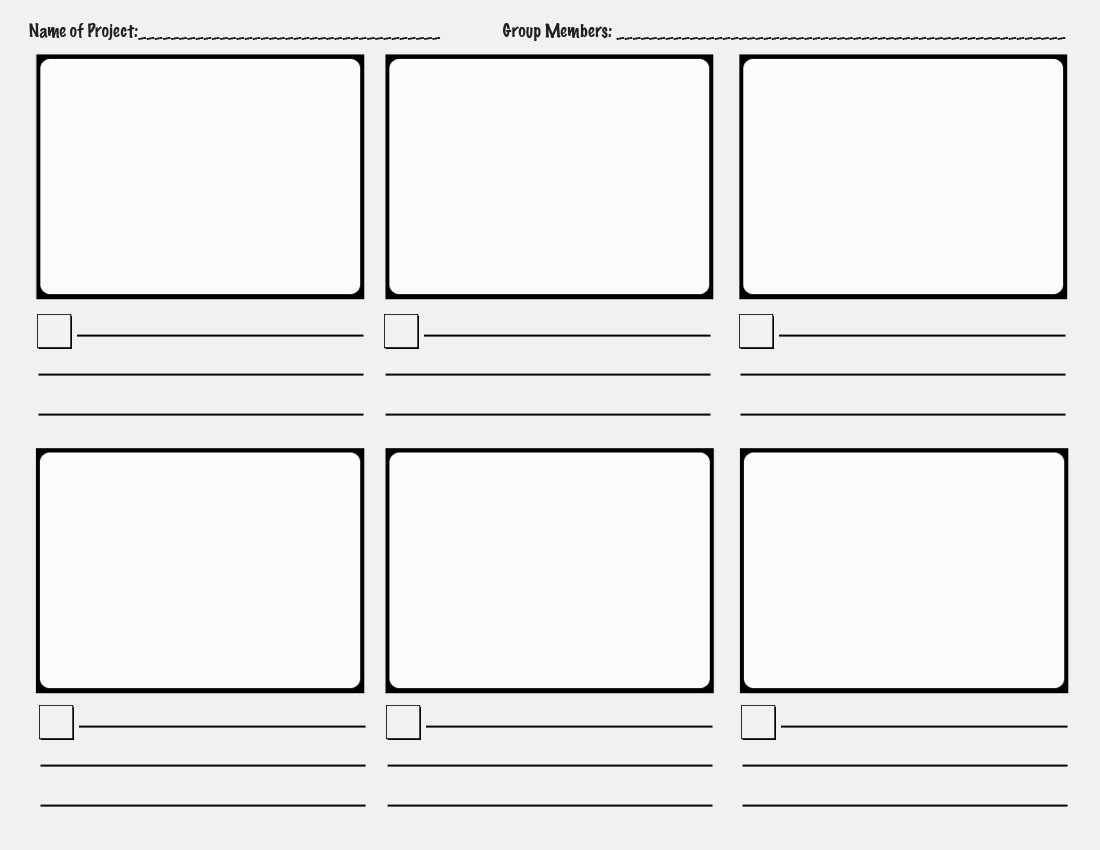
Before creating a digital story, irregardless of what medium your students will use, they should brainstorm in small groups what the content of the story will be. The rule that “less is more” is never truer than when using digital media, and students will need to create a narrative, and then chunk it down into parts that fit together and carry the story forward. The best way to do this is using a storyboard like the one below.

This storyboard could be used for a simple narrative with dialogue such as Bitstrips (http://www.bitstripsforschools.com/) would use.


Use a storyboard with extended features if you are adding music and audio, such as for Photostory.


Check out http://ocdsbphotostory.wikispaces.com/Process for these templates and great tips on producing a simple Digital Story.
Photo Story 3 is a free download from Microsoft at http://www.microsoft.com/windowsxp/using/digitalphotography/photostory/default.mspxUse it for cross-curricular narratives and easy end of the year slide shows.


Thursday, June 10, 2010

Creating Digitally

Creating

Last week we introduced Blooms Digital Taxonomy and Andrew Churches’ extrapolation to the digital processes. Creating (designing, constructing, planning, producing, inventing, devising, making) was evident in the digital processes of programming, filming, animating, blogging, video blogging, mixing, re-mixing, wiki-ing, publishing, videocasting, podcasting, directing, broadcasting. While some of these tools are complex, some are easily accessible to the classroom teacher and can be integrated seamlessly into existing practice.

Writing

Overall expectations (Ontario Language Curriculum, pg.100) can be as easily met by digital processes as by traditional pen exercises.


By the end of Grade 5, students will:         
1. generate, gather and organize ideas and information to write for an intended purpose and audience;

  • Storyboard/graphic organizer
  • Wiki, Google docs (collaborate)
  • Internet research      
2. draft and revise their writing, using a variety of informational, literary and graphic forms and stylistic elements appropriate for the purpose and audience

  • Digital storytelling (Photo story, Voice threads, Comic Life, Bit strips)
  • Use for procedural, persuasive writing, narratives, demonstrations of science experiments, differentiation       
3. use editing, proofreading, and publishing skills and strategies and knowledge of language conventions, to correct errors, refine expression, and present their work effectively
  • Digital editing requires knowledge of conventions appropriate to media, spell-check is available, and revisions are made readily as students are engaged.      
4. reflect on and identify their strengths as writers, areas for improvement, and the strategies they found most helpful at different stages in the writing process
  • Publish to a wiki or blog for peer feedback and metacognitive reflection     
Media Literacy

3. create a variety of media texts for different purposes and audiences, using appropriate forms, conventions and techniques (Ontario Language Curriculum, pg.103)

  • The following diagram shows that a media “construction” maintains the integrity of the writing process (text and audience), but includes a third element (production) which is engaging, rewarding, and relevant to a child’s digital experiences outside of  school, conditions that set the stage for critical inquiry and self-directed learning.

Wednesday, June 9, 2010

Recently I have begun to write a column called "Curriculum Connections" in our weekly newsletter "Technology Times". The brainchild of Dave Miller, IT Manager at the OCDSB, this newsletter reaches out to our learning community to provide communication on any number of initiatives. I see this as an opportunity to archive some of the curriculum ideas that have been the foundation of the workshops that we have provided. 


I had meant to cross-pollinate to this blog weekly, but this year being what it was, I have only now been able to turn my non-vampire eye to the task. (If that doesn't peak your interest, I don't know what will!)

Here then is the first column. I'll get the next few up as fast as super-humanly possible.


Digital Collaboration


In 2007, Andrew Church ranked digital and multi-media skills along the revised (2005) Blooms Taxonomy. Check out the diagram below to discover where skills such as creating videos or designing wikis situate. His Communication Spectrum ranks “Texting” as a Lower Order Thinking Skill, while “Collaborating” is found at the top of the Higher Order Thinking Skills.


What are the implications of this Digital Taxonomy? While students appear to be tech-savvy, communicating easily through text and instant messaging, they are not deep-thinking in their multi-tasking communications. The collaboration involved in creating a digital story (storyboarding, taking appropriate shots, editing, publishing) leads to critical inquiry and problem solving. A wiki is a collaborative tool designed for groups to discuss, contribute, moderate and edit collegially. The evolution of one student texting another, to many students working together to design, plan, produce, and invent, takes place by scaffolding their prior knowledge, and engaging them with familiar tools (computer, handhelds, Internet).

http://www.nonformality.org/wp-content/uploads/2010/02/blooms-digital-taxonomy.jpg

Wednesday, February 3, 2010

Educon and Beyond

Finally sifting through last weekend's  brain burst in Philadelphia, this week's official field launch of our Instructional Technology Coaches, and, now, finding out I am presenting to the Board of Trustees on Friday.


Actually the latter two events are helping me synthesize my Educon experience.

Firstly, the heightened sense of goal attainment derived from going with a team comprised of my Superintendent of Instruction, and a very proactive Principal.. What an enriching experience to target specific sessions geared to Professional Learning and Change (and yes, that's a Capital "C" and that's spelled Cool). We shared a Google Doc and collaborated on the fly, capturing ideas that might work, brainstorming how to implement, and using mind-melds to be in each other's thoughts. OK I made that part up, sort of. We (well me) could not stop talking, and planning, wherever we were, walking to SLA, over dinner, travelling home.

Bringing those discussions forward, I came back to work only to find great teacher feedback from our Instructional Technology coaches like the following:

My favourite comment so far was "I've been waiting a year for someone to come and teach me this!"

and

I have just posted the first (of many) lessons created with a teacher on our wiki space in the lessons in the field page. Y-P., it is in FRENCH!!!!
I will add more but need to perfect them first.

Things are going so well. The staff is amazing and the main comments I am hearing are: "They never focus like this!", "It set the tone for the rest of the day" and "Wow, s/he is actually doing work".

I love it when a plan comes together! Professional Learning, at point of instruction, on site, modeled and co-taught. Just what we talked about in Philly.

And so the Trustees Presentation. Really, I got this. I'm going to demonstrate how our board is scaffolded and enriched by the interactions we have with colleagues from other schools, districts and universities, and how that collaboration scales up to new and innovative Professional Learnings. BTW, I am no longer going use the term PD, just cuz.

And the most important part of this most important presentation? I've got pictures of students, lots and lots of pictures, using ubiquitous technologies, being engaged and empowered, and Learning. At the end of the day, it's all about the kids.

Thursday, October 1, 2009

A New Step

I've pushed off my comfort zone and am starting my Principal's Qualification Journey this weekend. Most of us, I think, can relate to my nervous energy on starting a new learning experience.

My first assignment was to reflect on my Philosophy of Educational Leadership.

I enclose a draft below, which I will finalize tomorrow night. Your thoughts are welcome. It's too long I know, working on that.

Philosophy of Educational Leadership

Barbara McLaughlin

My emergent philosophy of educational leadership has it roots in the personal values and beliefs I have developed after 15 years of practice. The fundamental belief that I hold, is in the absolute right of every child to walk into a safe, respectful and caring environment, filled with professional educators and community members who use a variety of strategies and resources to ensure that every child achieves success, grows as an individual and is able to take her place as a contributing member of society.

Upon reflection, the way I have demonstrated this foundational belief throughout my practice, speaks directly to my philosophy of leadership. I truly believe in the African proverb “It takes a village to raise a child” (anon.) and dissolved my classroom walls to actively model inclusion, diversity and empowerment of students and staff. I made sure the community was brought into the school events. I engaged, and initiated, relevant Professional Learning Communities.

Drawing experientially from my practice, as I leader, I would model this culture of community, promote team-building, consensus and collaboration, champion for understandings of different learning styles and special needs, and promote a respect for self, others and property.

As my understanding of learning evolved during my practice, and studies, I realized the power of “cognitive constructivism, which is about how the individual learner understands things, in terms of developmental stages and learning styles” (http://www.learningandteaching.info/learning/constructivism.htm). As an instructional leader I would bring this learning theory forward, and coach staff into a better understanding of the need of the learner to construct knowledge, of how scaffolding creates those opportunities, and of how the experiences of the learner fit into this educational model. With an understanding that not all staff is comfortable with constructivism, I would provide professional development opportunities, mentoring, and resources to help build understanding of all learners, and their diverse needs.

I believe that a leader should understand the importance of formative assessment as a tool to for feedback, to promote metacognition, and to create opportunities for differentiated teaching strategies to allow for exceptionalities and learning styles. Further, a leader must implement the collection of this data to measure student achievement, in line with Ministry assessment, evaluation and reporting guidelines.

I believe a leader should understand, and model, the use of simple technology, for student engagement, critical thinking, and accessibility, and for professional use, using tools such as announcements portrayed on wall monitors, use of collaborative professional tools, such as wikis, or electronic versions of newsletters.

I believe a leader should demonstrate empathy, resilience, honesty, and integrity. These are core characteristics, and having practiced in a classroom for 13 years, and worn a leadership mantle as Elementary Technology Consultant for the past 2 years, I am motivated to demonstrate my abilities in this arena.

I believe a leader should have a solid understanding of Education Statutes and Regulations, operations, staffing, timetabling, and effectively dealing with issues of abuse and violence. I look forward to collaborating with exemplary colleagues in extending my understanding of these key areas of leadership.